How AI Memory Works
Your companion builds a persistent memory about you — your preferences, goals, relationships, and context. This memory makes conversations feel continuous and genuinely personal.
What gets remembered?
Section titled “What gets remembered?”Your companion extracts and stores memories across five categories:
- Facts — things that are true about you (your role, location, skills)
- Preferences — how you like things done, what you enjoy or avoid
- Emotions — feelings you’ve expressed around topics or events
- Events — things that happened or are happening
- Relationships — people in your life and how they connect to you
Memory is extracted from conversations, voice sessions, and notes — not ambient listening.
Viewing your memories
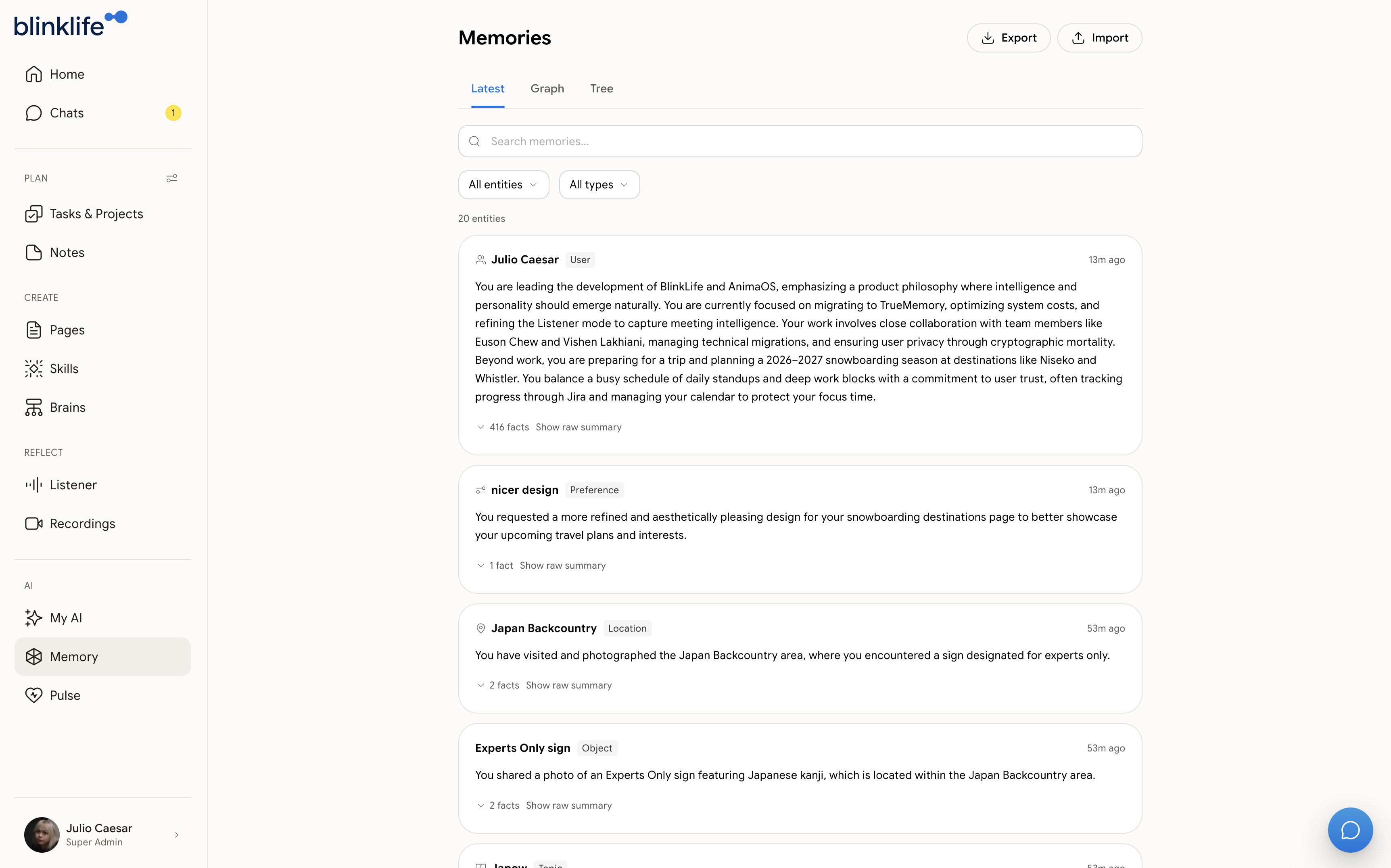
Section titled “Viewing your memories”Open Memory from the sidebar (/memories) to browse everything your companion has stored about you. You can search for specific memories and export or import your memory data.
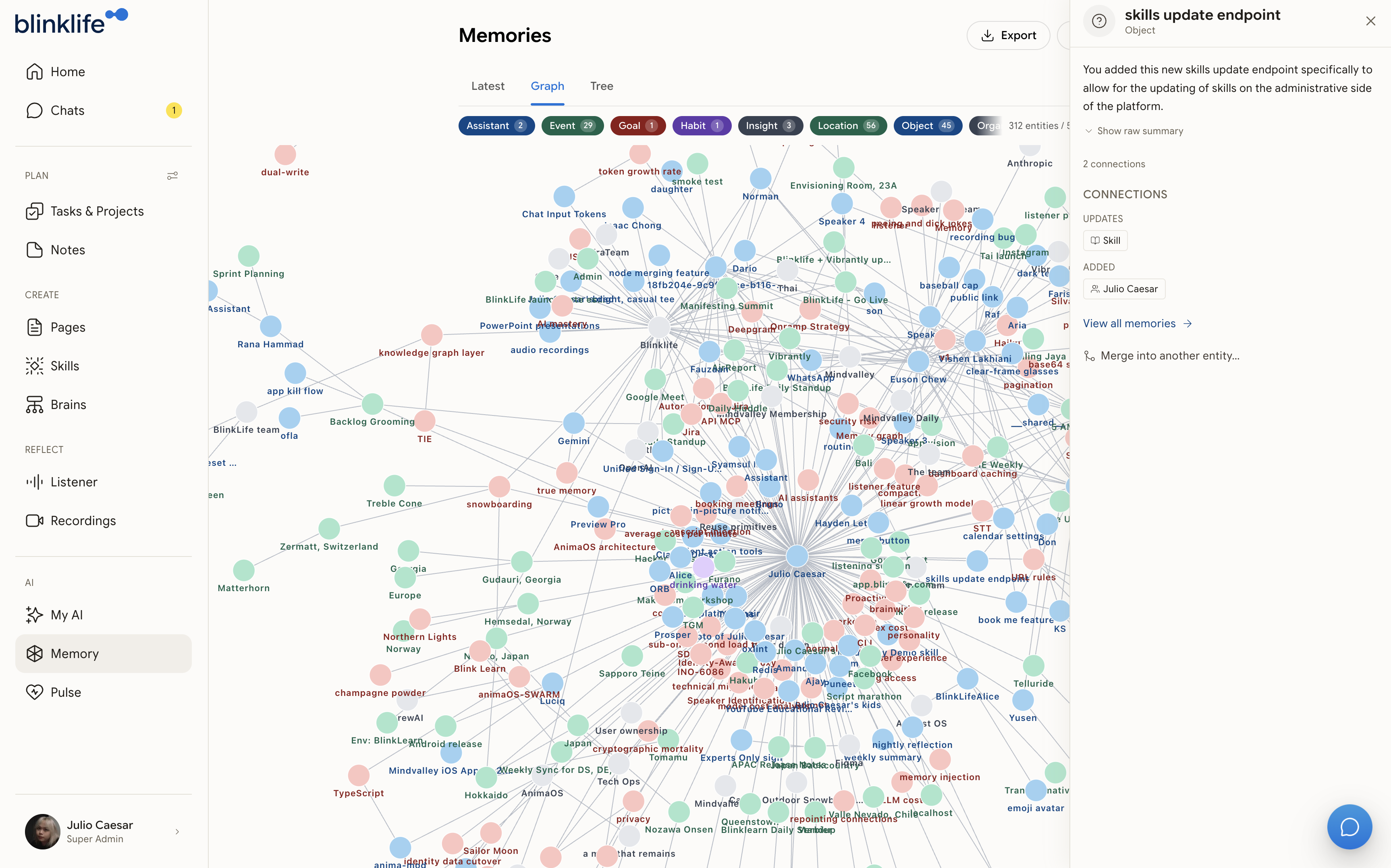
Switch to the Graph tab to see how your memories connect — entities like people, places, skills, and events link together into a personal knowledge graph.
How memories are recalled
Section titled “How memories are recalled”When you start a conversation, your companion retrieves the most relevant memories based on what you’re discussing. You don’t need to repeat context you’ve already shared — it’s automatically injected.
Correcting a memory
Section titled “Correcting a memory”If your companion remembers something incorrectly, simply tell it:
“That’s not right — I actually…”
It will update its understanding based on your correction.
Exporting and importing your memory
Section titled “Exporting and importing your memory”You own your memory data and can take a copy of it at any time from the Memory page (open Memory from the sidebar).
To export: Select Export. BlinkLife downloads your full memory — every entity, fact, and episode — as a JSON file (named blinklife-memory-…json) that you can keep as a personal backup. Exporting doesn’t change or delete anything.
To import: Select Import and choose a memory file you exported earlier. Import only accepts a BlinkLife memory export (a .json file in that format) — other files are rejected. Your imported memories are restored and become searchable once processing finishes.