Your Home Page
Home is the first thing you see when you open BlinkLife. It isn’t a dashboard of every number in your life — it’s a short, opinionated read on your day from your companion, and every part of it is something you can talk about.
The top of the page
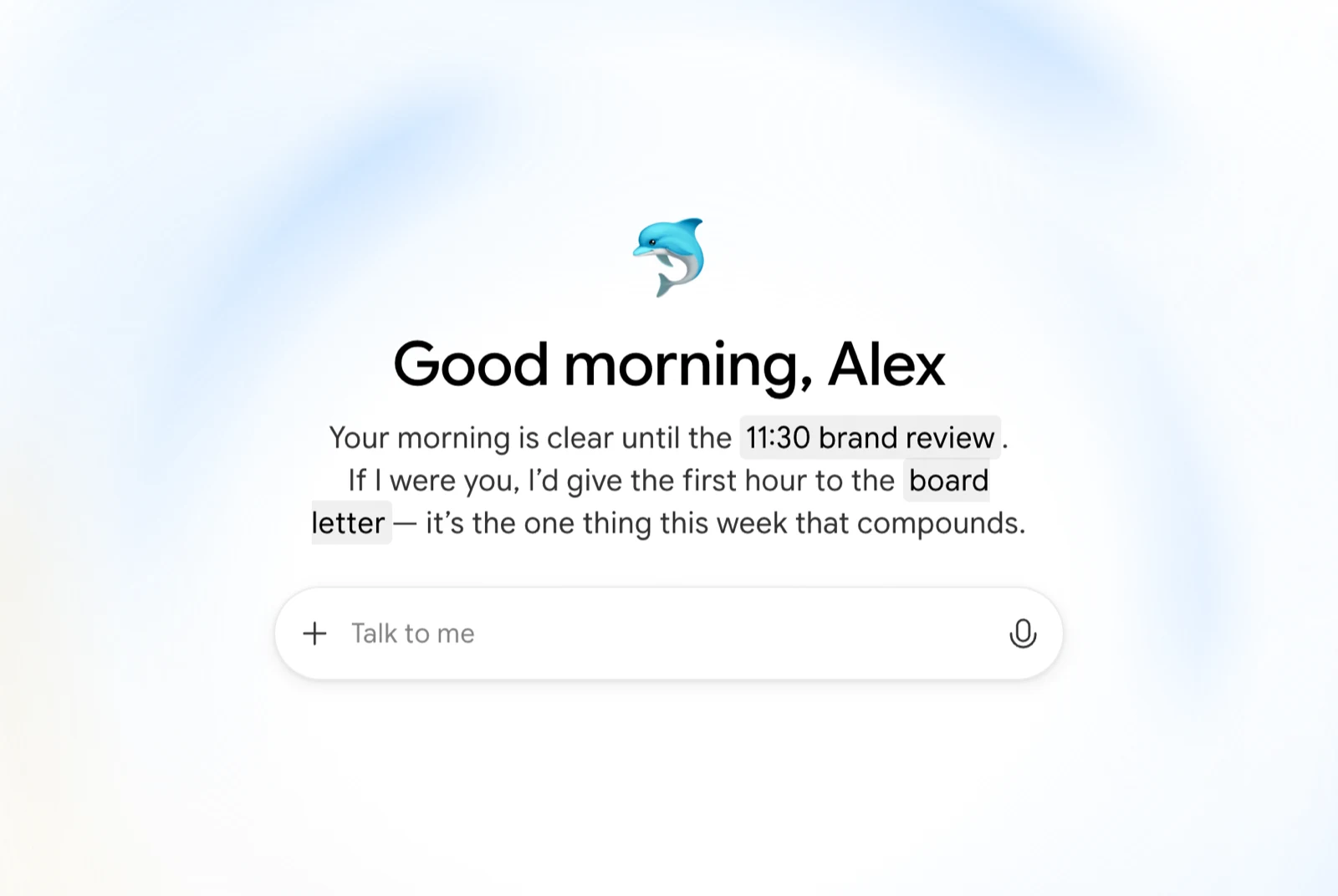
Section titled “The top of the page”Your companion greets you and writes a short, time-aware message about where your day is at. This message refreshes through the day, so it says something different in the morning than it does at 6pm. The colour behind it shifts with the time of day too.
Below it is an input that says Talk to me. Type there, or tap the microphone to speak — it’s the fastest way into a conversation, and you can attach images.
For today
Section titled “For today”Under For today, your companion picks a small number of Focus cards — the things it thinks actually deserve your attention right now. A Focus card is one of three kinds:
- A task — something due, overdue, or worth rescuing. You can tick it off directly on the card.
- A meeting — something on your calendar, with the people attending.
- An email — something in your inbox that looks like it needs a reply. If it doesn’t, dismiss it and your companion drops it and picks something else.

These are chosen and ranked for you — it’s a shortlist, not your whole task list. For everything, open Tasks.
From your companion
Section titled “From your companion”Under a heading with your companion’s name — From Eliza, or whatever you’ve called yours — are Reflection cards: short observations drawn from your conversations, notes, memories, and calendar. They’re the part of Home that isn’t about getting things done.
A reflection might be a pattern it’s noticed, someone who’s been on your mind, a quiet win you didn’t mark, a goal that’s drifted, something you said a few weeks ago that’s gone quiet since, or a check-in after a run of heavy days.
You won’t see all of these, and you won’t see the same ones every day — your companion only offers a reflection when it genuinely has something to say, and it deliberately waits before returning to the same subject. Some only appear in the morning, others lean towards the evening.

Every reflection has a Talk about this action that opens a conversation with the full context already loaded.
Yesterday
Section titled “Yesterday”At the bottom, under Yesterday, is your Journal card — your companion’s diary entry for the previous day. Open it to read the entry in full, or browse the whole diary under Diary in the sidebar.
If you’re new
Section titled “If you’re new”Before there’s enough to work with, Home shows you the two things that make the biggest difference:
- Connect Calendar and Connect Gmail, so your companion can see your day
- Or start small — create your first task, or capture your first note
These are replaced by real Focus and Reflection cards as soon as you have something to show.
Asking for it directly
Section titled “Asking for it directly”You can always ask your companion for a rundown instead:
“What’s on my plate today?” “What did I miss this week?”